
Reading · 3 min
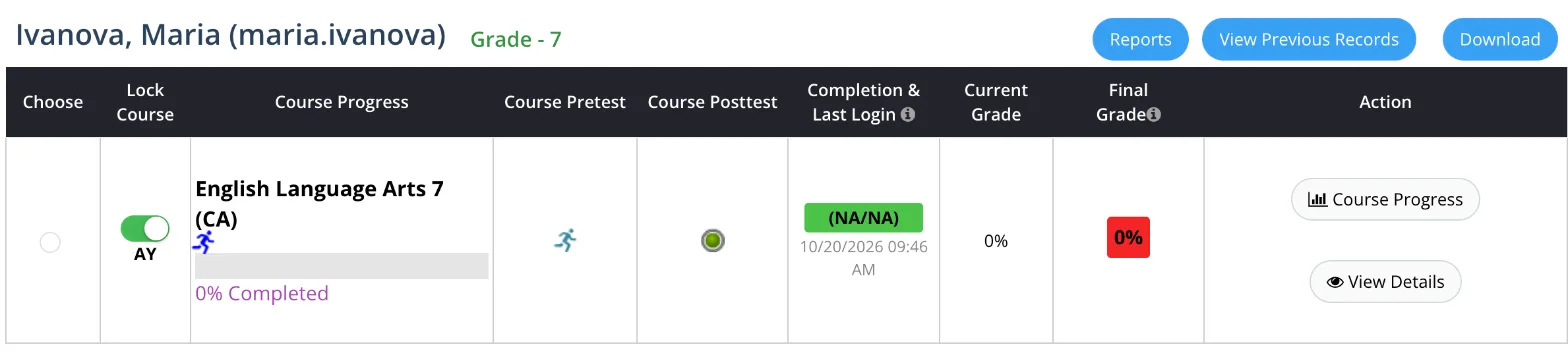
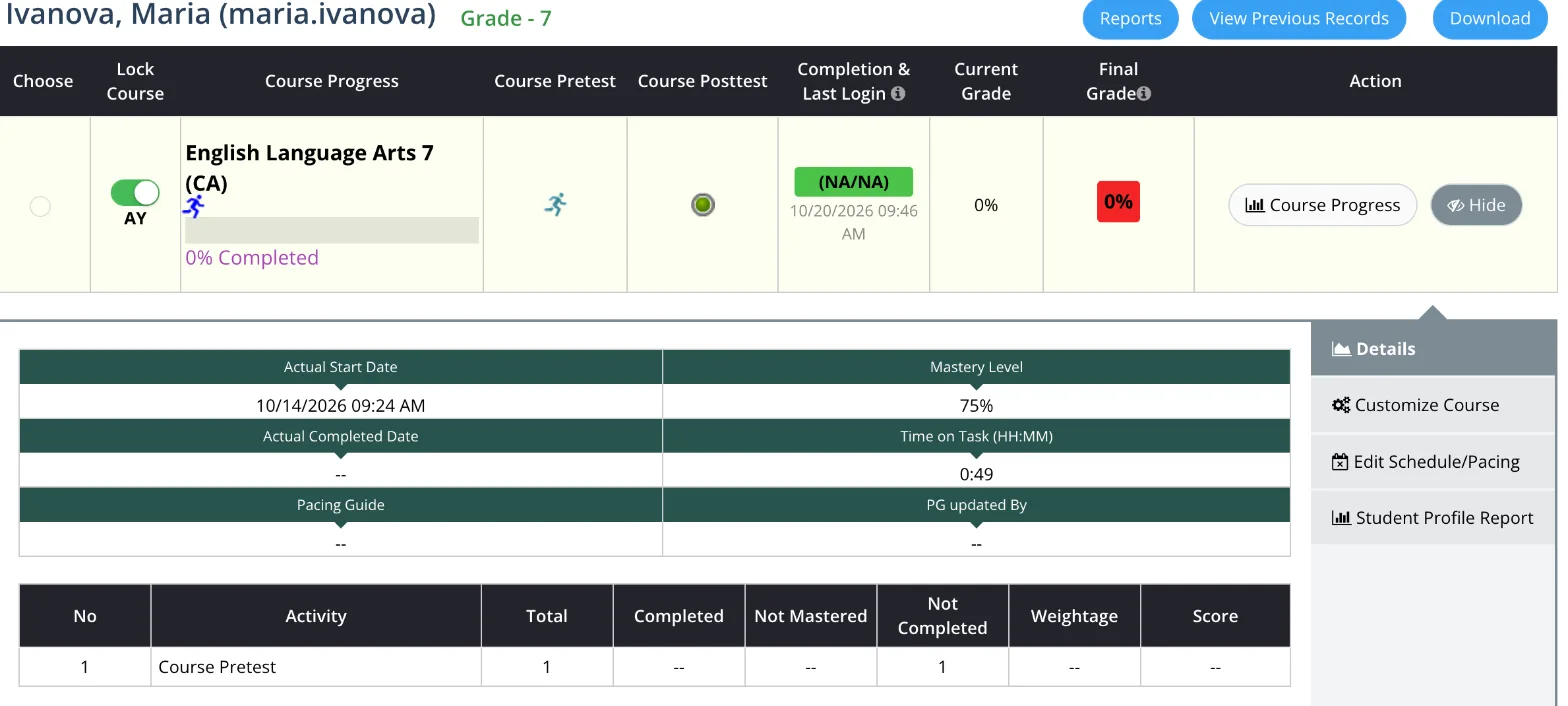
Open a row and read the details
- Goal
- For each name on your list, know whether the student never started, fell behind or is stuck, and which lessons are hard.
- Whole lesson
- About 6 minutes
- Before you start
- Your list of names (Lesson 5)
- Performance
- View Details
- Course Progress
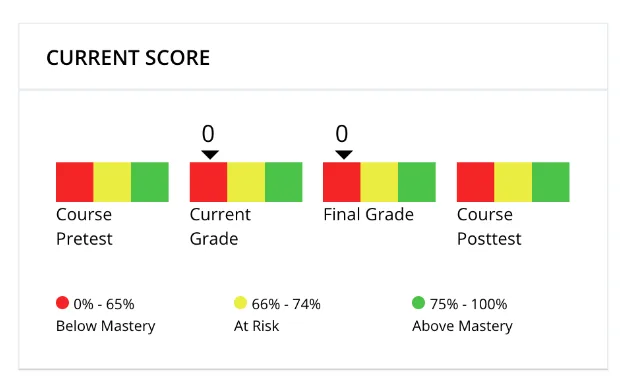
- Student Profile Report
Look for three kinds of trouble: students who never started, students who fell behind, and students who keep working but get stuck on the same lessons.
Never started: there is no last login, or it is weeks old, and almost nothing is done. The student probably cannot get in. Lesson 8 shows how to help with logins.
Stuck: open View Details too. Not Mastered counts the activities the student has not passed yet.
To see which lessons, press Course Progress on the row. A page opens with every lesson of the course.
Red scores marked Needs Improvement show the lessons to talk about.
Then talk to the student, in class or by message. Ask what is hard. Often it is the English of the task, not the subject itself.
You're done when you know, for each name on your list, whether the student never started, fell behind or is stuck, and which lessons are hard.
Something does not add up?
Write to support (support@gsed.ch) or to your coordinator.