
Reading · 3 min
Write to the class and to one student
- Goal
- Write to your whole class, and to one student with a copy to a parent when it helps.
- Whole lesson
- About 6 minutes
- Before you start
- A class (Lesson 4)
- My Activities
- Post Announcement
- Message Student
- Compose Mail
Write to the whole class for reminders everyone needs. Write to one student for a personal check-in, for example after a missed week.
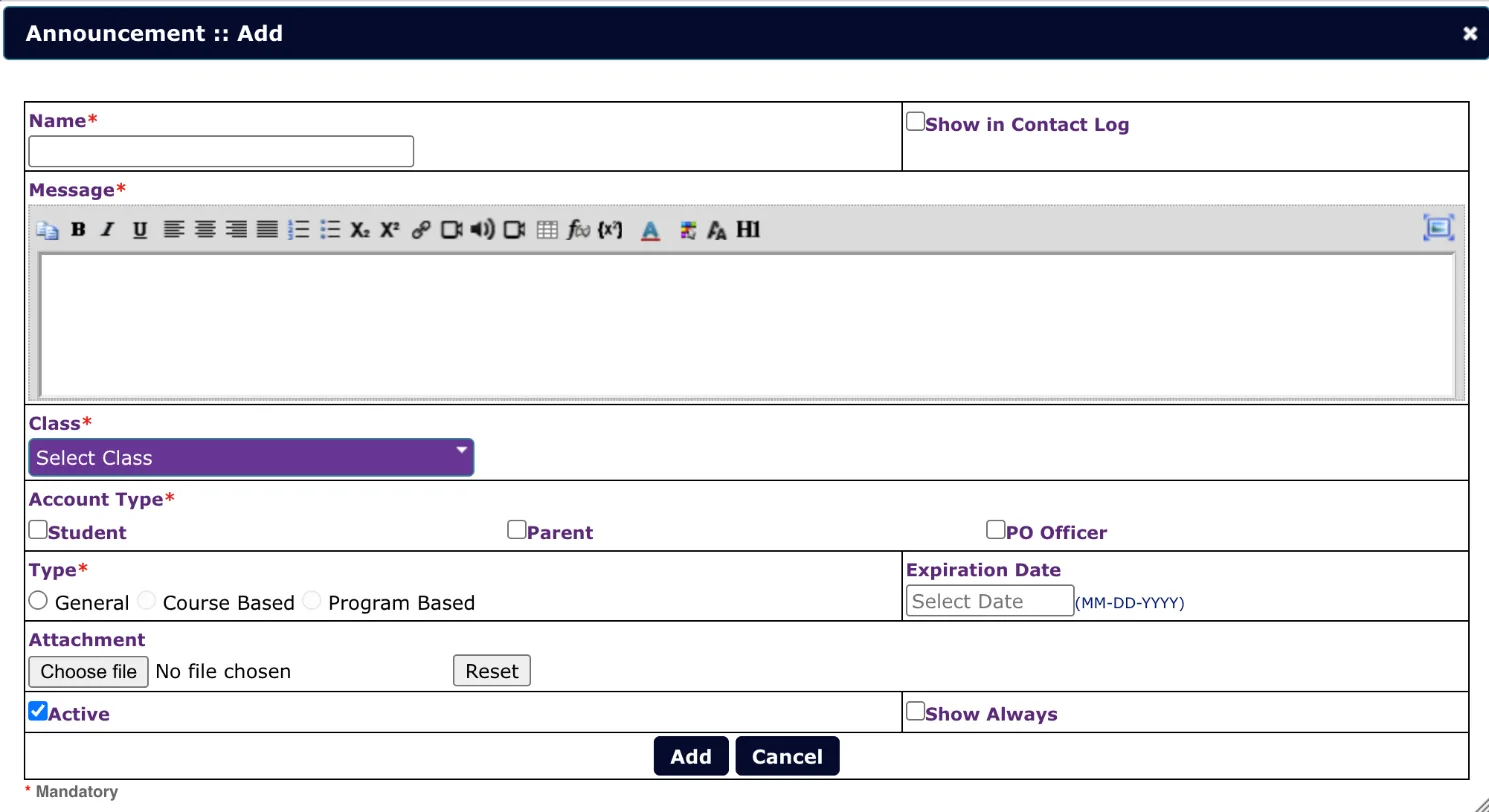
To write to the whole class, open My Activities, then Post Announcement, and press Add.
Type a Name and your Message.
Never put a username or password in an announcement. The whole class would see it.
Choose the Class.
Set an Expiration Date, then press Add.
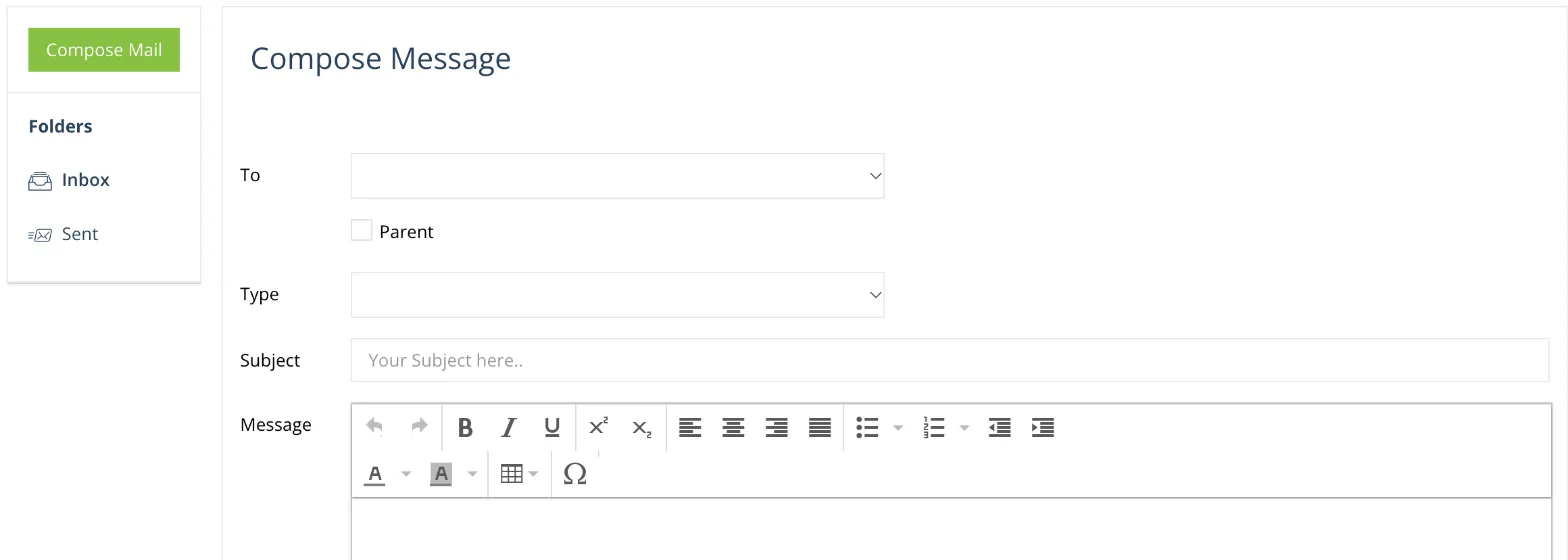
To write to one student, open Message Student and press Compose Mail.
Type a Subject and your Message, then press Send.
Keep messages short and kind. Name the lesson, and offer a time to look at it together. For example: “Hi Timur, I saw Elements of Story is hard. Shall we look at it together on Thursday?”
You're done when you can write to your whole class and to one student, with a copy to a parent when it helps.
Post Announcement or Message Student?
Use Message Student to write to one student. If several students need the same reminder, use Post Announcement.
Stuck?
Write to support (support@gsed.ch) or to your coordinator.